How to Protect and Maintain Your New Gadgets So They Actually Last

If you’ve ever had a phone die just after warranty, an AC fail in peak summer or a TV suddenly go blank right after the "free service" period, you already know how painful early gadget death can be. Most of the time it isn’t because the device was bad from day one; it’s a mix of small things drops, heat, dust, bad power, sloppy updates and forgotten warranty dates that slowly add up.
In this guide, we’ll look at a few practical, mildly technical habits that actually help your gadgets last longer in real homes. And instead of keeping all the bills, warranty cards and service notes in email, WhatsApp and random folders, you’ll see how using the HoldMyBill app makes it much easier to track everything and act at the right time.
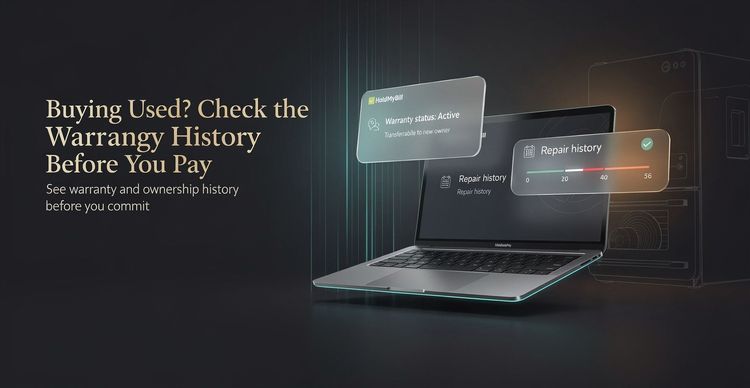
If you'd rather not manage this in spreadsheets, HoldMyBill gives each product its own simple timeline with bills, warranty details and service events in one place, with helpful reminders when coverage is about to end.
Take Care of the Hardware: Protection, Placement and Power
Hardware dies for very physical reasons: a corner crack that spreads, a fan that never gets to breathe, or a sudden power spike that your TV just can’t absorb. You don’t need to become a technician, but a few small habits dramatically reduce the chances of these failures.
Protect against everyday damage
Think of how your gadgets actually live day to day: phones without cases on slippery tables, laptops running hot on soft mattresses, tablets in kids’ hands, smart speakers sitting near water or food.
A few simple rules go a long way:
- Use decent cases and sleeves for phones, tablets and laptops you carry around. They’re cheap "shock absorbers" that take the abuse instead of the device.
- If you work long hours on a laptop, avoid keeping it directly on beds or cushions. Soft surfaces block vents and trap heat; use a table or even a simple stand.
- Don’t wedge TVs, consoles, set‑top boxes and routers into completely closed cabinets. If hot air can’t escape, components cook slowly over time.
- Keep drinks, cleaning sprays and food away from devices with open vents and ports; one spill can undo years of careful use.
Whenever you buy a phone case, screen guard, stand or mount, snap the bill in HoldMyBill and attach it to the same product. If the accessory fails or damages the gadget, you have that invoice ready when you talk to the store or support without scrolling through months of gallery photos.
Respect heat and dust
Electronics are designed to move heat away from sensitive parts, but they assume the world will cooperate a little: open air around vents, fans that can spin, and surfaces that aren’t covered in lint.
Over time, dust builds a blanket over everything:
- Screens, speakers and keyboard gaps collect visible grime.
- Vents, grills and fans quietly clog up and reduce airflow.
- Inside TV units and entertainment corners, heat gets trapped.
You don’t have to open devices up. Just add a light‑touch routine:
- Once a month, wipe screens and outer surfaces with a clean, slightly damp microfiber cloth and then dry them.
- Dust vents and grills gently so air can move. For laptops and PCs, a soft brush or gentle air from a distance is better than stabbing with sharp objects.
- For ACs, purifiers and refrigerators, follow the brand’s basic filter or coil cleaning instructions; dirty filters force compressors and fans to work harder than they were designed to.
To make this real instead of "I’ll do it someday," create a small list in HoldMyBill for heat‑sensitive items AC, purifier, fridge, main laptop. Add a quick note whenever you clean a filter or vents. Over time you build a simple service timeline that you can show if something fails during warranty and also use to judge if a gadget is genuinely "old" or just neglected.
Smooth out the power your gadgets see
In many homes, power quality isn’t perfect. You may have:
- Sudden spikes when the power comes back.
- Frequent short cuts that rapidly switch devices on and off.
- Overloaded multi‑plugs feeding TVs, routers and charging bricks from one point.
Sensitive electronics are happiest when they get relatively clean, stable power. To help them:
- Use good quality spike guards for TVs, consoles, streaming boxes and routers, instead of plugging them straight into the wall or into a cheap multi‑plug.
- For PCs and important workstations, a basic UPS not only lets you save work during outages but also softens abrupt on/off cycles.
- Avoid daisy‑chaining multiple cheap extensions; spread high‑load devices across outlets where possible.
When you buy surge protectors or a UPS, store their bills alongside the gadgets they protect in HoldMyBill. If a surge protector ever takes a hit and fails, you’ll know exactly which model it is, when you bought it and whether it’s still under its own warranty so you can replace it before the next storm season.
As you read about protection, placement and power, linking phrases like "smart ownership" or "gadget lifecycle" to a guide page on your site helps readers who want deeper context without cluttering this article.
Gadget Risk vs Care Level
Gadget Risk vs Care Level

Risk
^   High |        X
|        |      X
|        |    X
|        |  X
|        |X
|        +--------------------> Care
          Low        High

X = typical user (low care, high risk)

Goal: move right with small habits + HoldMyBill
Take Care of the Software: Updates, Storage and Safe Use
Even with perfect hardware habits, software can slowly turn fast devices into unstable, hot and unreliable ones. Updates, storage and everyday digital hygiene all play a role in how long your gadgets remain usable.
Updates that actually matter
Updates often get dismissed as "just new features," but many of them are about stability, security and efficiency:
- Firmware updates for phones, laptops, smart TVs and routers patch known bugs, close security holes and sometimes improve performance or thermal behaviour.
- Smart home devices lights, plugs, speakers receive fixes that keep them compatible with newer apps and services.
- Ignoring updates entirely can leave you with devices that feel sluggish, disconnect often or behave unpredictably over time.
A practical approach:
- Turn on automatic updates for phones and laptops if you’re comfortable with it, or at least allow security and critical fixes to install regularly.
- For routers and TVs, don’t ignore prompts from the official interface. Set aside a few minutes when you’re not mid‑stream to let the updates complete.
HoldMyBill can help here by keeping the basics straight: for each device you add, store the model name and purchase date together with the bill. When you look up official instructions or firmware pages, you can quickly confirm which exact model you own instead of guessing from memory.
Healthy storage and workload
Modern gadgets can run a lot at once, but they still have limits. When storage is constantly full and dozens of apps run in the background, components are forced to work harder, stay hotter and wear out faster.
A few sensible habits:
- Keep a buffer of free space on phones and laptops; when storage is always at the edge, updates fail and the system thrashes more.
- Uninstall apps you haven’t used in months instead of just muting them. Every extra background process adds some load.
- Be cautious with "miracle cleaners" that promise to speed things up with one tap; many add their own junk or overly aggressive behaviours.
- On TVs and streaming sticks, occasionally remove unused apps and clear caches from the system menu so the interface stays responsive.
Any time you upgrade internals install an SSD, add RAM, or move to a larger memory card add that purchase under the same product in HoldMyBill. It gives you a clear view of how much you’ve invested into keeping that particular device healthy, which helps you decide later whether it’s worth another repair or time to replace it.
Safer everyday usage
Some of the worst failures start with a careless click: installing sketchy apps, plugging in unknown USB drives, or giving broad permissions to tools you barely recognise.
To keep devices sane over their life:
- Stick to official app stores and known developers for software that interacts with core system components.
- Don’t plug random USB drives or cables into laptops and PCs unless you trust their source.
- Review app permissions occasionally and revoke access that clearly doesn’t make sense for what the app does.
This isn’t about paranoia; it’s about avoiding the kind of deep instability or malware that can make a device unusable long before its hardware is actually worn out.
Whenever you need to contact support after such an issue, having your device details and purchase record at hand matters. With HoldMyBill, you can open the product entry, see the bill, basic info and any service notes you’ve added, and share the right details without hunting through multiple apps.
If you have a dedicated "asset lifecycle" or "personal belongings management" guide on your site, phrases like "complete ownership record" or device lifecycle management in this section are good anchor text for internal links.
Use HoldMyBill to Track Bills, Warranties and Service History
Most people know they should keep bills and remember warranty periods. The reason it doesn’t happen is not lack of intention; it’s that life gets busy and there’s no simple system that fits into everyday phone usage. That’s the gap HoldMyBill is designed to close.
Quick "Good vs Messy" Storage Comparison
Where are your bills?

MESSY                         ORDERED
-----                         -------
Email inbox (x7)              HoldMyBill:
WhatsApp chat (x3)              Product + bill photo
Downloads folder                Warranty dates
Drawer file                     Service notes
Loose paper                     Expiry reminders
The problem with scattered bills
Right now, if you look for an old invoice, it’s probably in one of these places:
- Buried inside a long email thread from the store.
- Saved as a PDF in a downloads folder you rarely open.
- Sitting as a photo somewhere in your gallery or in a WhatsApp chat with the shop or your partner.
- Crumpled in a physical file that hasn’t been touched in years.
This is exactly how:
- Warranty periods quietly expire without you noticing.
- You reach a service centre with no proof of purchase or unclear dates.
- You forget which devices have extended warranty or free service visits left.
What you need is a single, product‑centric view: for each gadget, one place where the bill, warranty details and service history live together, easy to find even two or three years later.
How HoldMyBill fits into your gadget care routine
HoldMyBill is built precisely for this one place per product approach, without turning you into a spreadsheet admin.
With the app you can:
- Add a gadget by scanning or uploading its bill, whether it’s a photo, PDF or screenshot.
- Store key basics alongside that document purchase date, store and model information so you don’t have to zoom and squint into the bill every time.
- Capture warranty coverage details so that, when you look at an item, you know whether it’s still within the original or extended warranty period.
- Get reminders before warranties and important coverage windows end, giving you time to schedule a check‑up or raise a claim instead of realising too late.
- Log service visits and repairs as simple notes or attached documents under the same product, building a clean timeline of what happened when.
The idea is straightforward: you set up each important gadget once, then let HoldMyBill do the remembering. When something goes wrong or when you’re planning an upgrade you have the full picture in seconds, not hours.
Install once, protect for the long term
If you’ve read this far, you probably care enough about your gadgets to want them to last more than one cycle of EMI or hype. The easiest next step is to put a simple ownership system in place on the device that’s always with you your phone.
Here’s a practical way to start:
- Install the HoldMyBill app on your Android or iOS phone.
- Add just 3–5 high‑value items today: your primary phone, laptop, TV, fridge and AC.
- Upload their bills and fill in the basic details you already know.
- Let the app handle warranty tracking and reminders while you focus on the physical and software care habits from this article.
You don’t have to remember every date or stash paper bills "just in case." With HoldMyBill, your gadgets get a proper ownership record, you get timely nudges before coverage runs out, and the money you’ve already spent on devices and warranties actually has a chance to pay off over their full, intended lifespan.